Working while it renders
Some media operations take real time — generating a video, upscaling a photo, transcribing a recording. They all run in the background, so you're never stuck watching a spinner.
This isn't only for video renders or fresh generations — any media operation that takes a while works the same way: edits, enhancements, transcriptions, and more. The operation is queued and runs on our servers; the agent kicks it off, tells you it's on the way, and carries on. When the result is ready, it drops into the session automatically.
In-flight media#
Each piece in flight shows up in the gallery as a placeholder — a glyph for its kind and a running timer — until the finished media lands and takes its place.
Voice, sound effects, and transcripts all share the waveform glyph — the label on the placeholder tells them apart.
Keep working#
Nothing is blocked while media renders. Keep chatting, refine the brief, plan the next steps, or start more operations — several can be in flight at once, and each drops into the gallery as it completes.
Auto-resume#
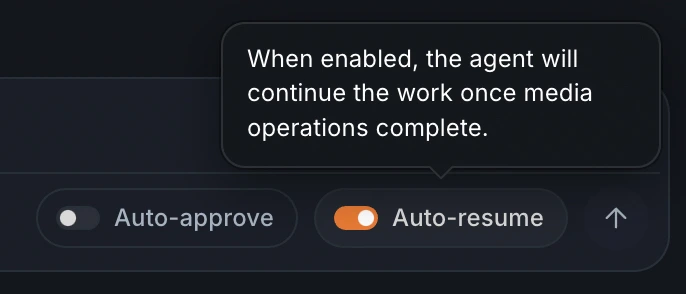
Sometimes the agent's next step depends on media that's still rendering, so it pauses until the results are back. Turn on Auto-resume — the switch in the composer — and it picks the work back up automatically the moment they land. It's per session and off by default.