The session folder
The left panel is your project's files on disk. The agent keeps them organized into four folders, so finished work stays separate from the material it was built from.
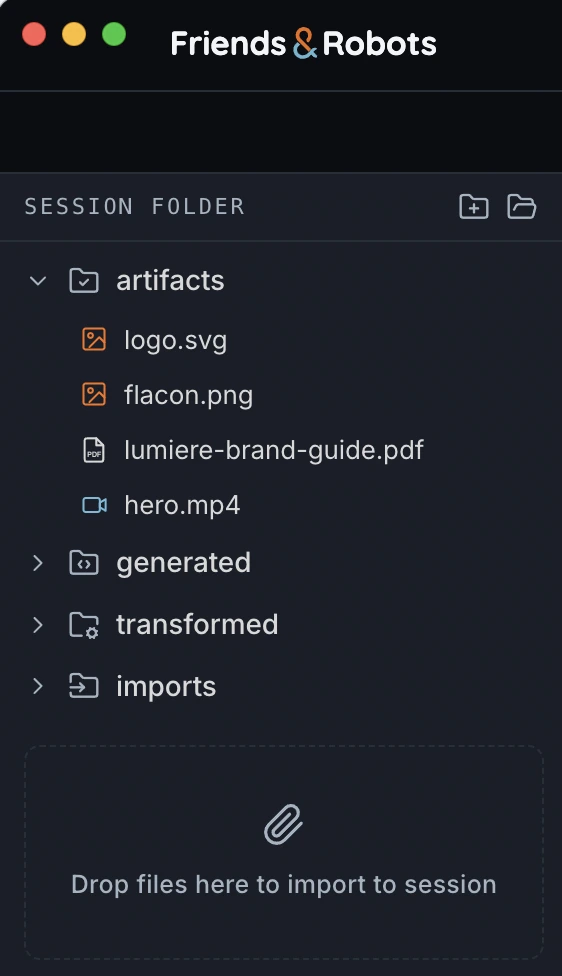
The four folders#
| Folder | What's inside |
|---|---|
| generated/ | New creations — images, video, music, speech, rendered timelines, and generated files. |
| transformed/ | Edits and enhancements of an existing source — inpaints, upscales, denoise, format conversions. |
| imports/ | Files you bring in — uploads, downloaded stock, web fetches. Treated as read-only sources. |
| artifacts/ | Final deliverables. The agent copies a piece here once you signal it's ready. |
Let the agent manage it#
These four folders are agent-managed: you can't rename or delete them, and rearranging files by hand isn't recommended. The agent tracks everything by path, so moving or renaming things yourself can lose track of them. Instead, tell the agent what you want changed — "drop this into artifacts," "rename that clip" — and it'll keep the folder in order.